Changan at Beechwood Derby

Changan at Beechwood Derby

  • Home
  • Electric Models
    • Deepal S07
    • Deepal S05
    • OHME - Home Charging
  • PHEV Models
  • Drive.Discover.Save
  • Used Cars
  • Motability
  • Explore Changan
    • Servicing & Parts
    • Our EV Hub
    • Reviews and Press
  • Contact us
    • Contact Us
    • Meet the team
    • Book a test drive
  • More
    • Home
    • Electric Models
      • Deepal S07
      • Deepal S05
      • OHME - Home Charging
    • PHEV Models
    • Drive.Discover.Save
    • Used Cars
    • Motability
    • Explore Changan
      • Servicing & Parts
      • Our EV Hub
      • Reviews and Press
    • Contact us
      • Contact Us
      • Meet the team
      • Book a test drive
  • Sign In
  • Create Account

  • My Account
  • Signed in as:

  • filler@godaddy.com


  • My Account
  • Sign out

Signed in as:

filler@godaddy.com

  • Home
  • Electric Models
    • Deepal S07
    • Deepal S05
    • OHME - Home Charging
  • PHEV Models
  • Drive.Discover.Save
  • Used Cars
  • Motability
  • Explore Changan
    • Servicing & Parts
    • Our EV Hub
    • Reviews and Press
  • Contact us
    • Contact Us
    • Meet the team
    • Book a test drive

Account


  • My Account
  • Sign out


  • Sign In
  • My Account
Beechwood Changan

KEEP YOUR CHANGAN UP TO DATE

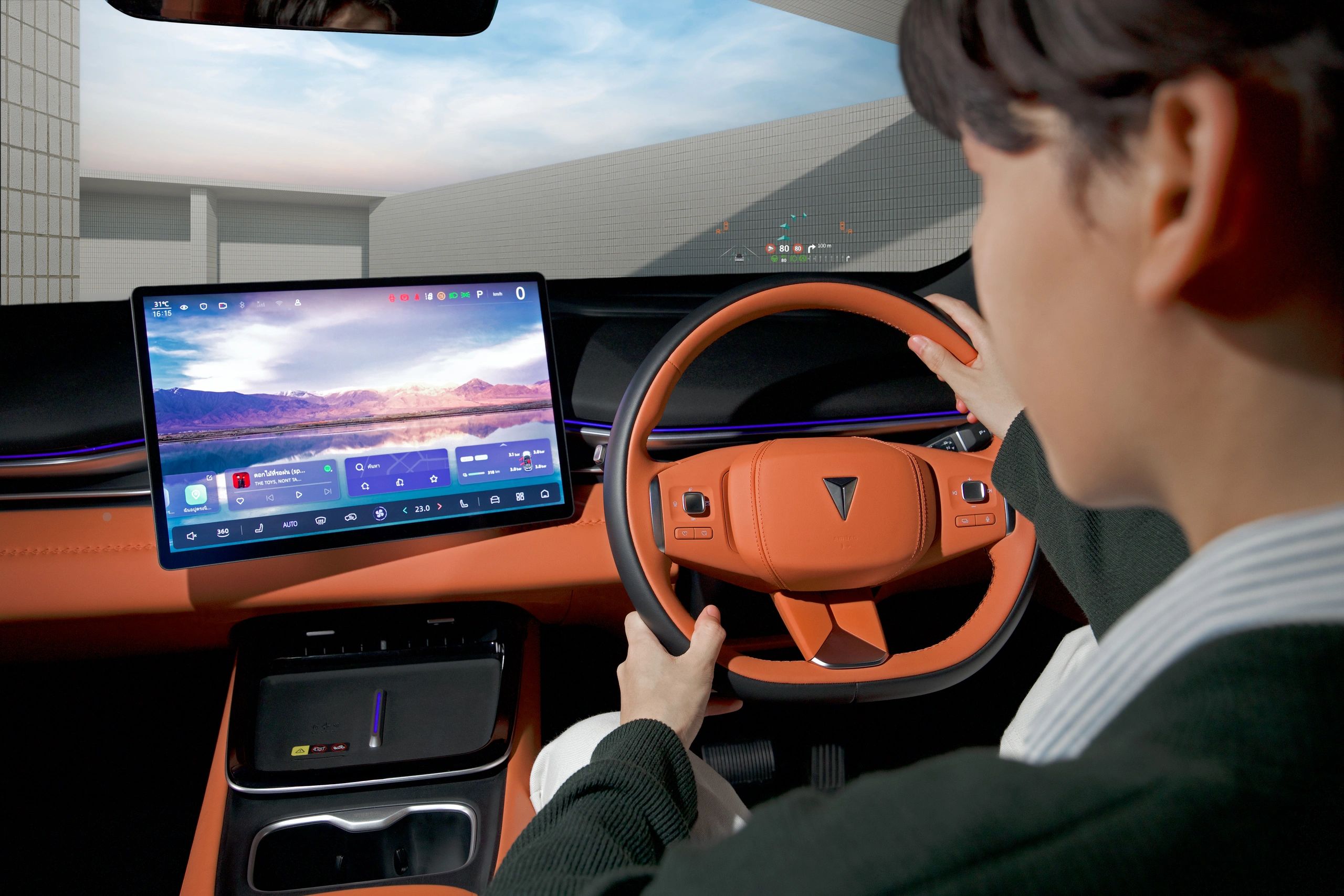
Your Changan is designed to evolve with you. With Over-The-Air (OTA) software updates, improvements and enhancements can be delivered directly to your vehicle without the need to visit a workshop.


OTA updates help keep your vehicle's software up to date, ensuring you can benefit from the latest available improvements, features and system enhancements.

HOW DO OTA UPDATES WORK?

Software updates are designed to make the process as simple as possible:


1. UPDATE AVAILABLE
When a new software update is available, Changan will make it available to your vehicle.

2. YOU'LL BE NOTIFIED
A notification will appear on your vehicle's central control display, letting you know that an update is ready to install.

3. CHOOSE WHEN TO UPDATE
You can choose to install the update straight away, schedule it for a more convenient time, or be reminded the next time you use your vehicle.

4. INSTALL THE UPDATE
Once confirmed, the update will be installed directly to your vehicle. The display will provide an estimated installation time.

5. UPDATE COMPLETE
Once the installation has finished, your vehicle's central display will confirm that the update is complete.


A FEW THINGS TO REMEMBER

To ensure the update can be installed successfully:

  • The vehicle must be parked during installation.
  • The vehicle must not be connected to a charger.
  • The vehicle cannot be driven while the update is being installed.
  • Your vehicle must have at least 20% battery charge.
  • Installation time can vary depending on network coverage.
  • If scheduling an update, make sure the vehicle is locked and not charging at the selected time.


UPDATE AT A TIME THAT SUITS YOU

If you're not ready to install an update immediately, you can schedule the installation for a more convenient time.

This means you can keep your Changan's software up to date without having to plan a visit to the dealership.

ALWAYS MOVING FORWARD

Regular software updates are another way Changan continues to improve the ownership experience, helping your vehicle benefit from the latest available software enhancements. 


If you need help with a software update or have any questions, our Beechwood Derby Changan team is here to help.

speak to our team
  • Privacy Policy
  • Cookie Policy
  • Terms & Conditions

Beechwood Changan

8 Siddals Road, Derby, UK

01332 381900

Copyright © 2026 Beechwood Changan - All Rights Reserved.

Powered by

This website uses cookies.

We use cookies to analyze website traffic and optimize your website experience. By accepting our use of cookies, your data will be aggregated with all other user data.

DeclineAccept